Here’s what’s new from our latest release – a set of updates across the PageSuite platform designed to help you reach more readers, keep them engaged for longer, and manage your digital editions and apps with greater confidence.
NEW PS Edition Reader
26.8.0
Focus: easier navigation, smarter search and native printing.
- New Kiosk Functionality – Readers with access to several titles or regional editions can now choose their edition from a dedicated kiosk page, laying the groundwork for a richer multi-title experience.
- Section and Publication Deeplinking – Links can now take readers straight to a specific section or publication, making it easier to drive traffic from newsletters, social posts and your website.
- Supplements Tab – A new Supplements tab lists recent editions from the same publication group, helping readers discover more of your content.
- Flexible Masthead Logo – The masthead logo can now link back to the archive, to the first page of the edition, or to a URL of your choice, giving readers an easy way home.
- Persistent Search – The landing page now remembers a reader’s search and results within the same session, as do “Current Edition” searches, so readers can jump into an article and come straight back to where they left off.
- Option to Hide Search Filters – For publications without articles, the All | Pages | Articles filters can now be hidden for a cleaner, simpler search experience.
- Hide Pages/Articles and Banner Advert on Fullscreen – In fullscreen mode, the Pages/Articles controls and banner advert are now hidden, giving readers a cleaner, more immersive view of the page.
- Big Screen Support – Improved support for large and high-resolution displays, so full pages now display correctly on screens up to 4K.
- Google Translate – Readers can translate article text into their preferred language, opening your content up to a wider audience.
- Improved Audio Player – The audio player now supports live notifications and lock-screen media controls, so readers can keep listening and control playback without returning to the page – available where clients supply their own MP3 audio files.
- Native Print Support – Readers can now print pages directly from their browser, with a clear message shown where a page isn’t available to print.
- Closeable Banner Adverts – Readers can now close top and bottom banner adverts, which reappear after a set number of page turns, balancing a better reading experience with continued ad visibility.
- Fixes & Improvements – Tidier labelling in bookmarks and search, plus a range of smaller fixes.
Clients will be migrated to our new Edition Reader throughout 2026. Updates to our Edition Reader are rolled out automatically.
PS Mobile App
26.8.0
Focus: a stronger foundation for security, monetisation and on-brand personalisation.
- Biometric Authentication – Readers can now sign in with Face ID or fingerprint recognition, giving them quick, secure access to their account without having to remember a password every time.
- Dark Mode Theme Colour – Clients can now set a dedicated theme colour for dark mode, covering all the same areas as the light mode theme colour (previously this defaulted to white until set) – another lever for consistent, on-brand styling.
- Kiosk Selection Screen – The kiosk now pulls in each product’s app icon for better at-a-glance branding, and multi-product kiosks gain a new search option, making it faster for readers to find their edition among a long list of titles.
- Tealium Analytics – Added support for Tealium, giving clients another analytics option for tracking reader behaviour in the app.
- Combined Widget – A new home screen widget brings the Latest Edition and Live articles together in one place, giving readers a quicker route back into the app.
- UI Updates: Podcasts, Puzzles & Date Picker – Refreshed interfaces across Podcasts, Puzzles and the edition date picker, for a cleaner, more consistent look and feel throughout the app.
- Settings & Subscriptions – Settings have been reorganised into clearer groupings, with more theming support and more helpful information surfaced to end users. New active/inactive subscription status and dedicated subscription detail pages give readers a clearer view of what they’re signed up for.
- Paywalls – A complete new paywall UI, with all content fully configurable, built to drive more subscription conversions.
- Article Metering – Metering is now handled natively rather than within the article template, so readers can see exactly how many free articles they have left. Like the paywall, the new UI is fully configurable and designed to encourage sign-ups.
- Premium Content – A new padlock icon marks premium content, clearly signalling to readers when they need to log in or subscribe to unlock it.
- Third-Party Login – A complete new UI for third-party sign-in, with all content configurable to match each client’s branding and requirements.
- Signed In With No Subscription – A new module for readers who are signed in but don’t hold an active subscription, letting them purchase a subscription or restore a previous purchase directly – alongside a new “inactive” tag in Settings.
- Single Edition Purchase – Editions that require purchase now display a padlock, and a new “purchased editions” section in Settings gives readers quick access to everything they’ve bought.
Speak to your CS Manager to discuss upgrades.
PS Edition SDK
26.8.0
Focus: a more unified reading experience across article and PDF pages.
- In-Flow Adverts – Support for adverts delivered directly within the reading flow.
Speak to your CS Manager to discuss updating to the latest SDK.
What’s Next?
Throughout 2026, we’re transitioning all of our clients to our new Portal and Edition Reader – giving you a more intuitive management interface and your readers a modern, immersive experience on every device.
You don’t need to take any immediate action. Your Customer Success Manager will be in touch personally in the coming months to guide you through the migration timeline, demonstrate the new features and help you get the most from the new Portal and Reader.
We’ll share a detailed migration schedule with you ahead of your move to the new PS Portal.
Product Releases
26.1 | January Product Release
We are pleased to share details of our latest product updates from our most recent release, which introduces a series of enhancements across the PageSuite platform. These updates are designed to support publishing workflows more effectively, with improvements focused on performance, usability, and long-term scalability.
Company News
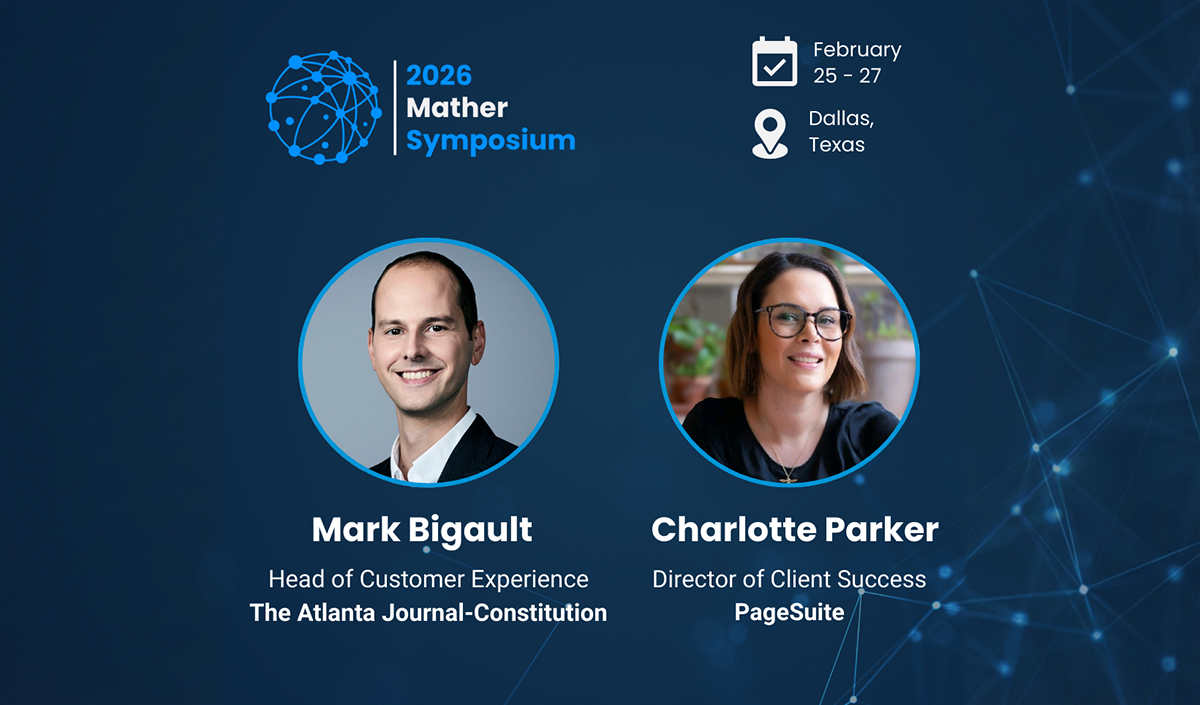
PageSuite to Sponsor and Present at the 2026 Mather Symposium in Dallas
We’re pleased to be sponsoring the upcoming Mather Symposium, taking place next month in Dallas, Texas...
Product Releases
26.5 | May Product Release
Here's what's new from our May release - a set of updates across the PageSuite platform designed to help you reach more readers, keep them engaged for longer, and manage your digital editions with greater confidence.